Z80 Workspace
A browser IDE for Z80 assembly that runs the course’s real assembler and board simulator through DOSBox compiled to WebAssembly.
ProblemDirectionIntegration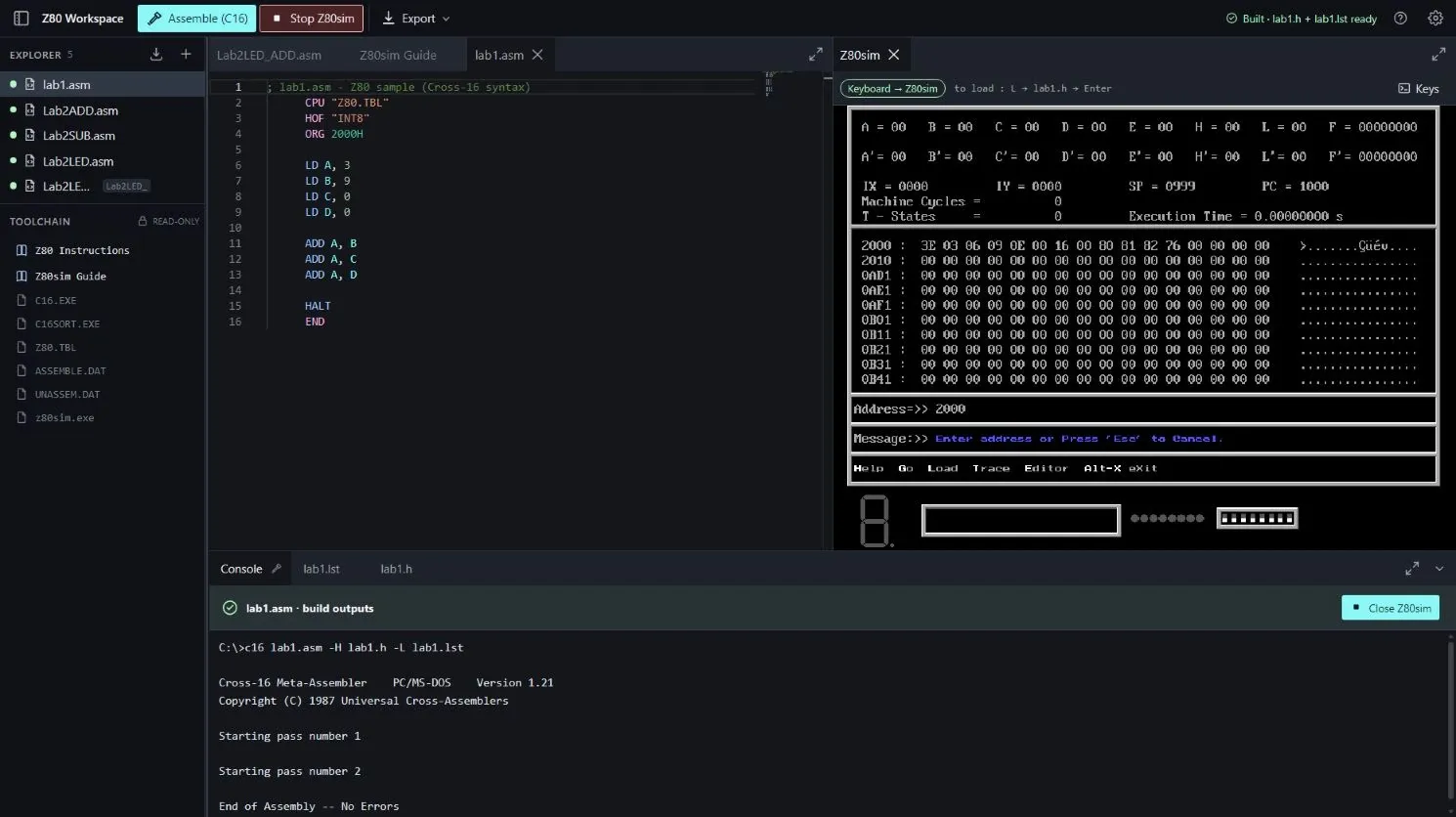
The original workflow was cumbersome.
The old setup took a lot before it worked, and I had to remember commands I didn’t need. So I built one place to write, assemble and run.
End to end, on the live site
Captured on the live site. The run to HALT is the built-in sample program.
- 01
Assemble: no errors
The real C16.EXE runs in the console and ends with “End of Assembly -- No Errors”.
Live site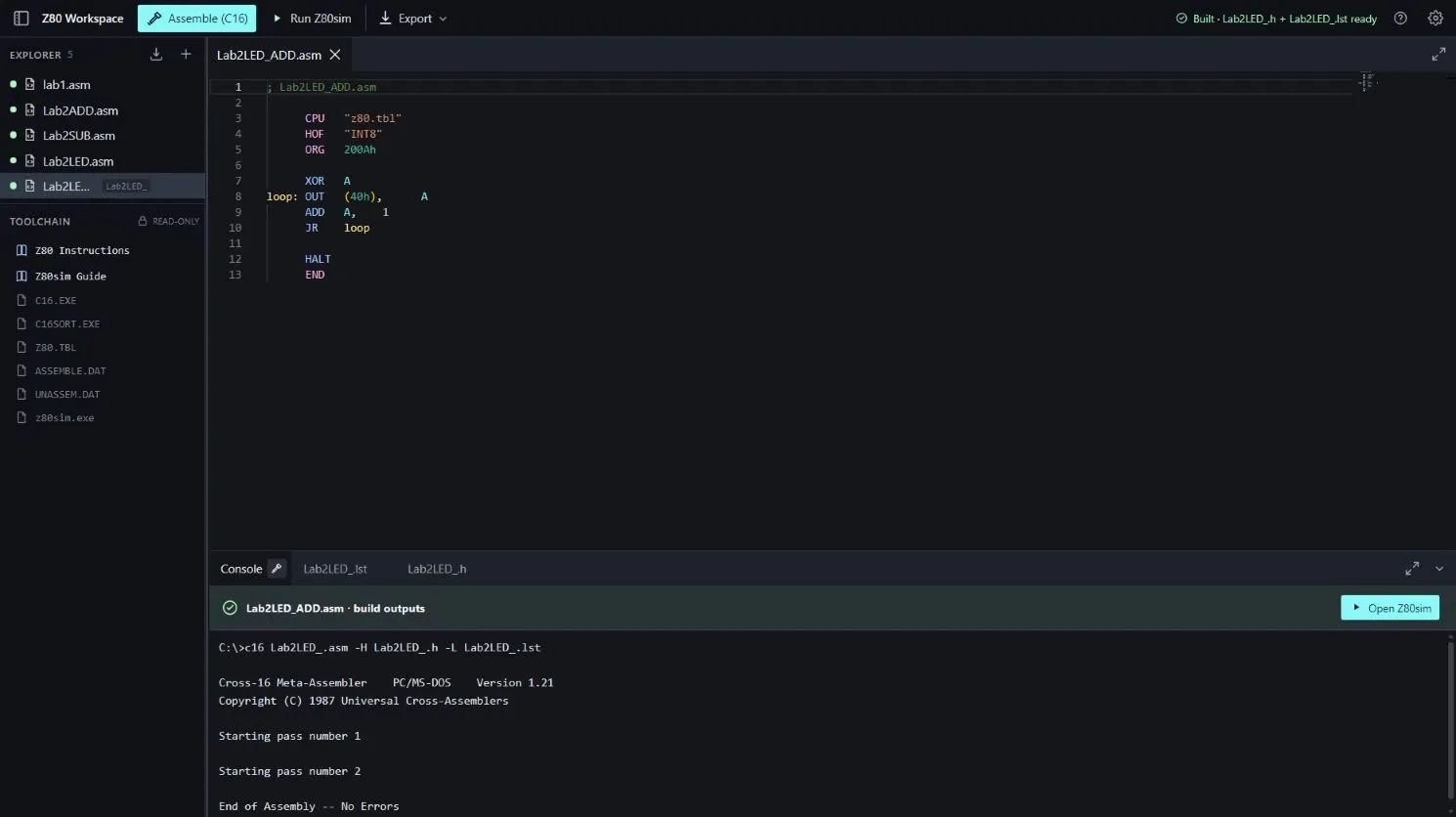
- 02
Load into the simulator
Z80sim reports “File load success at 2000h”: the HEX file is in the simulator.
Live site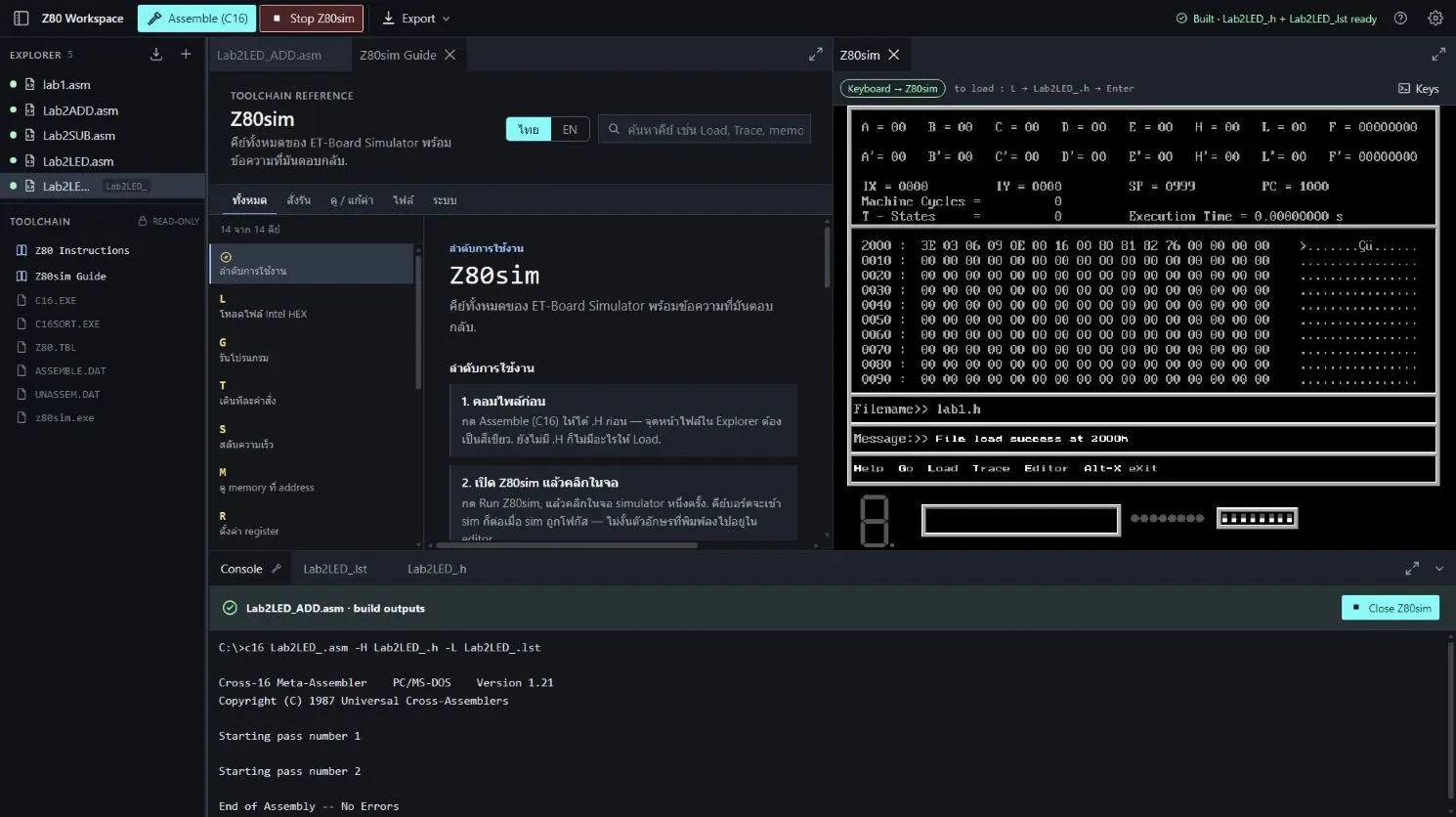
- 03
Source to memory, in one screen
The source, the console’s “No Errors” and the machine code at 2000h, side by side. This shows compile → simulator; it does not show the program running.
Live site - 04
Run to HALT
The built-in sample lab1.asm, loaded at 8000h and run with G 8000: “Program halted”, PC 800B, 48 machine cycles.
Live site · sample program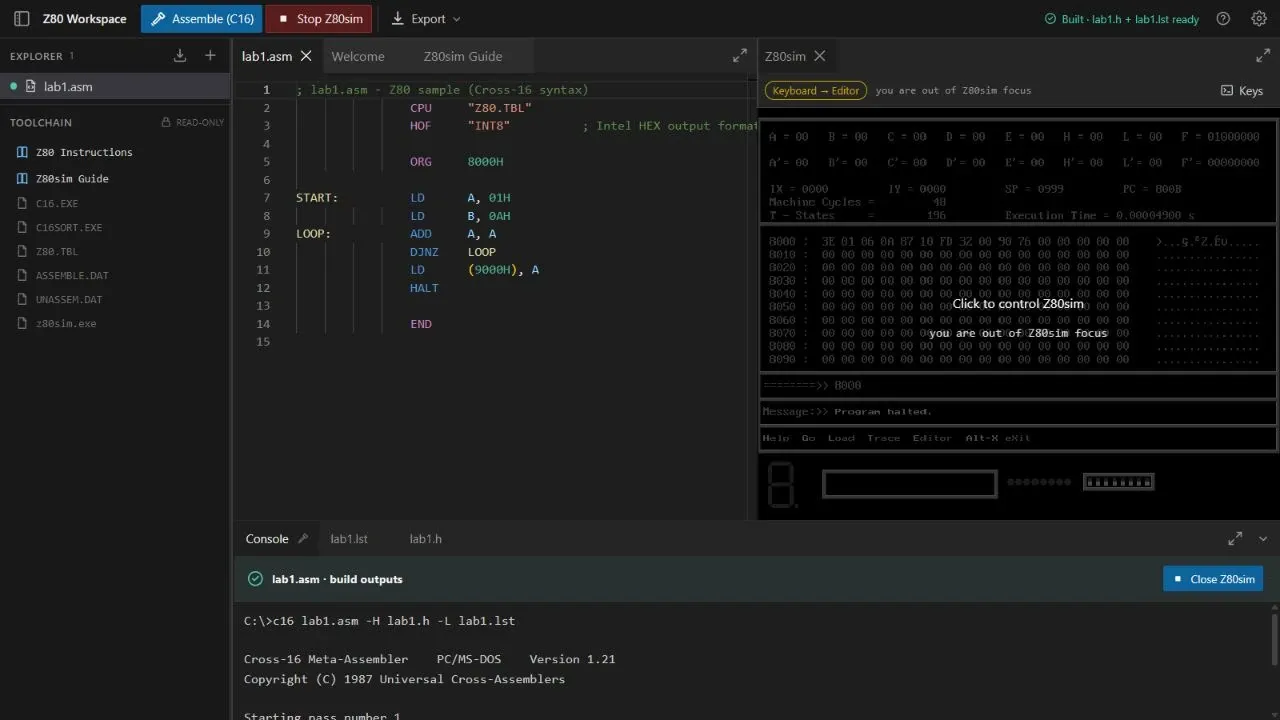
The real toolchain, in the browser
The course’s own assembler and simulator run in DOSBox compiled to WebAssembly.
A multi-file workspace kept in the browser; assemble to Intel HEX and a listing; compiled files load into Z80sim on their own; each file shows its build state in one of 3 colors; TH / EN with an interface tour.
An Electron desktop build too, which I actually used.
RELDesktop downloadsGitHub Releases · v0.1.4Who did what
- Me
- Noticed the problem, set the direction, integrated the real tools into one workspace, decided what counted as done.
- AI
- Most of the implementation, heavily AI-assisted, under my steering.
- Upstream
- C16.EXE and the Z80 ET-Board simulator (the course’s tools), DOSBox, the Monaco editor.
Complete: it does what I wanted it to do. Used by me and a few others; the course needed this workflow for only 2 labs.
The web version is online on GitHub Pages.
Usage notes · GoatCounter